Your First CLI App
Following this tutorial, you'll build todo, a feature-complete task manager for the terminal. By the end, you'll have a complete CLI application with several commands, localised in 7 languages, with rich rendered output, help and error handling, typed exit codes, and more.
In this first step, you'll create a minimal version with a list command and a small JSON-backed task store.
Create the project
Create a new console application and add AnyCLI:
dotnet new console -n TodoCli
cd TodoCli
dotnet add package AnyCli
Add the task store
Replace Program.cs with the following:
using System.Text.Json;

using AnyCli.Commands.Execution;
using AnyCli.Commands.Registration;

var app = ConsoleAppBuilder.Create()
    .WithName("todo")
    .ConfigureCommands(commands => commands
        .AddAsyncCommand<ListCommand>("list", "List all tasks"))
    .Build();

return await app.RunAsync(args);

/// <summary>A persisted task.</summary>
public sealed record TodoItem(int Id, string Title, bool IsDone = false);

/// <summary>Reads tasks from a JSON file.</summary>
public sealed class TodoStore(string path)
{
    public static string DataPath { get; } = Path.Combine(
        Environment.GetFolderPath(Environment.SpecialFolder.LocalApplicationData),
        "TodoCli",
        "todo.json");

    public async Task<IReadOnlyList<TodoItem>> LoadAsync(
        CancellationToken cancellationToken)
    {
        if (!File.Exists(path)) return [];

        var json = await File.ReadAllTextAsync(path, cancellationToken);
        return JsonSerializer.Deserialize<List<TodoItem>>(json) ?? [];
    }
}

public sealed class ListCommand : NoParametersAsyncCommand
{
    public override async Task<int> ExecuteAsync(
        CommandContext context,
        CancellationToken cancellationToken)
    {
        var tasks = await new TodoStore(TodoStore.DataPath).LoadAsync(cancellationToken);

        if (tasks.Count == 0)
        {
            context.Console.Output.WriteLine("No tasks yet.");
            return 0;
        }

        foreach (var task in tasks)
        {
            var status = task.IsDone ? "done" : "pending";
            context.Console.Output.WriteLine($"{task.Id}: [{status}] {task.Title}");
        }

        return 0;
    }
}
ListCommand is the simplest asynchronous command shape. It receives a CommandContext and a cancellation token, performs its work, and returns the process exit code.
ConsoleAppBuilder creates the application, AddAsyncCommand registers ListCommand under the name list, and RunAsync runs the application with the process arguments.
TodoStore.DataPath places the task file in the current user's local application data directory:
- Windows:
%LOCALAPPDATA%\TodoCli\todo.json - MacOS:
~/Library/Application Support/TodoCli/todo.json - Linux:
~/.local/share/TodoCli/todo.json
What this gives you
Even with one command and no parameters, the application provides:
- Help for the application and
listthrough-hor--help, with localized headings and built-in descriptions. - A default error message provider for invalid input, with localized messages in seven languages.
- Structured command-line errors on standard error, returning exit code
2by default. - Command exit codes propagated to the process.
Run the app
List the tasks:
dotnet run -- list
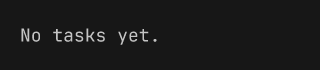
The output looks like:
The -- separates arguments for dotnet run from arguments for the application. Everything after it is passed to todo; here, list selects the command.